Most fiber laser problems we hear about trace back to one of a handful of root causes -- gas purity, optics contamination, or a parameter set copied from a different material without adjustment. This page covers the software side of daily operation, a maintenance routine worth actually following, and the troubleshooting table we walk customers through before escalating to a support call.

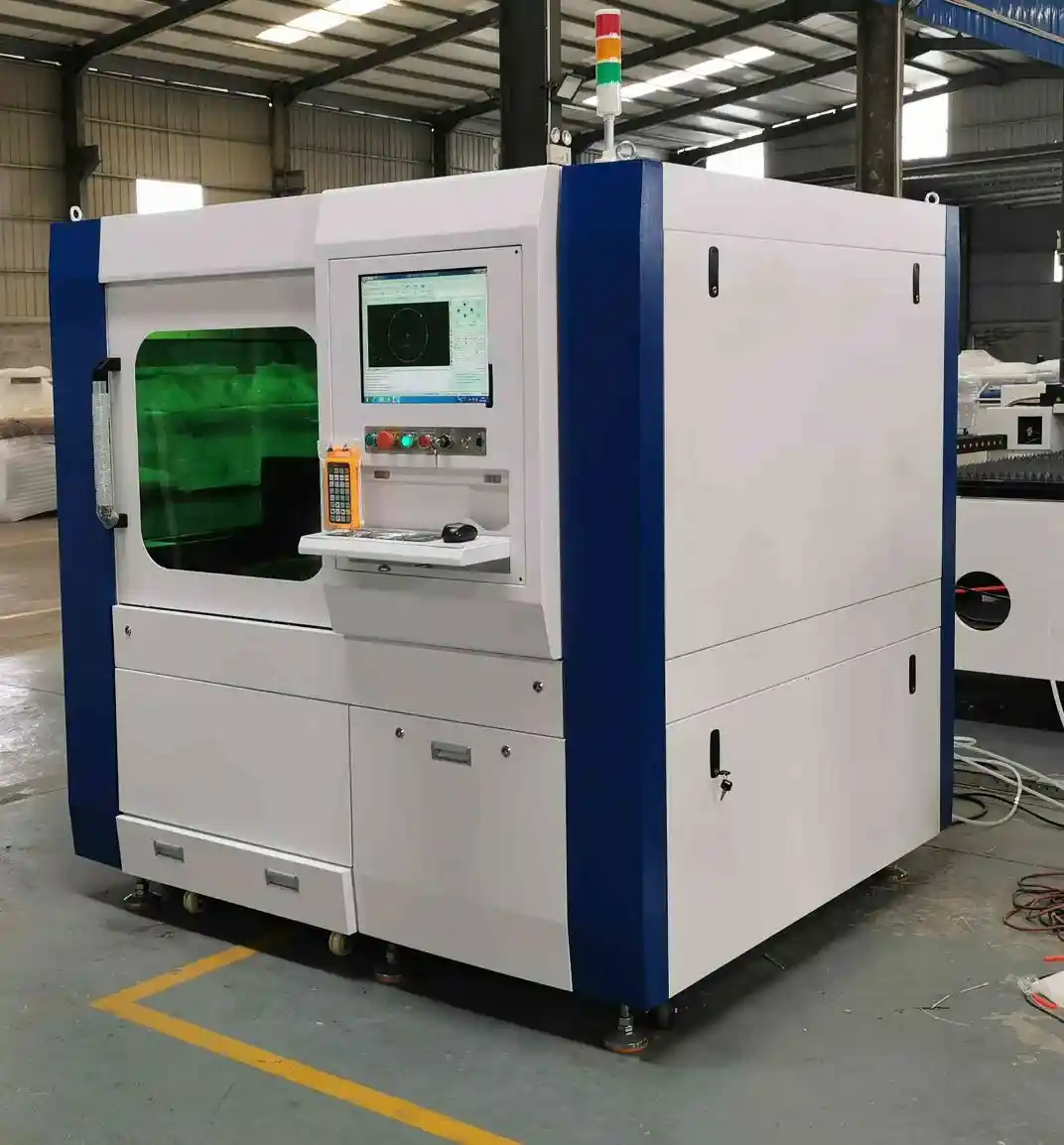
LF Series Industrial CNC Laser Cutter -- referenced in the maintenance schedule and troubleshooting notes below.
Software: What Operators Actually Do Day to Day
The day-to-day software workflow is mostly nesting and cutting-parameter management: import the part file, nest it against your sheet stock, select or fine-tune a cutting-parameter preset for the material and thickness, and queue the job. Most parameter drift problems on a shop floor come from operators copying a preset from a similar-but-different job rather than confirming it against the actual material and thickness being run that shift.
Programming a New Job From Scratch
For a genuinely new part or material combination, the safer workflow is a conservative first test cut at reduced speed, checking edge quality before committing to a full production run at target speed. Saving that confirmed parameter set as a new preset -- rather than only adjusting an existing one in place -- keeps your parameter library from silently drifting between similar-but-different jobs over time.
A Maintenance Routine Worth Actually Following
- Daily: visually inspect the nozzle and protective lens for spatter buildup before the first job of the shift -- this single check catches the majority of edge-quality complaints before they become a full shift's worth of rework.
- Weekly: check assist gas line pressure and filter condition; confirm chiller is holding its rated temperature under load, since a slowly degrading chiller often shows up as a gradual cut-quality decline rather than a sudden failure.
- Monthly: inspect guide rails and gantry motion components for buildup or wear; verify exhaust/fume extraction airflow hasn't degraded, particularly if your material mix has shifted toward anything that produces more fume or particulate.
- Scheduled (per manufacturer guidance): deeper optics inspection and any source-specific service items -- these vary by laser source brand, so follow the schedule documented for your specific machine rather than a generic interval.
Warranty and Spare-Parts Support
Every machine we ship carries a manufacturer warranty with documented maintenance schedules in writing, and we stock spare parts (nozzles, lenses, source-specific components) so a replacement doesn't mean waiting on a third-party supplier after something already failed. Following the maintenance routine above is also what keeps a warranty claim straightforward -- documented, regular maintenance is usually exactly what a manufacturer wants to see if a component does fail early.
Common Problems and Root Causes
Most issues that look mysterious on the shop floor trace back to one of these five patterns:
| Symptom | Likely Cause | First Thing to Check |
|---|---|---|
| Rough or dross-heavy edge | Wrong assist gas pressure or nozzle standoff for the material/thickness | Re-tune parameters per material; confirm gas purity and nozzle condition |
| Back-reflection alarm on reflective metal | Aluminum, copper, or brass reflecting energy back toward the head | Confirm the machine's back-reflection protection is active; avoid improvised steel parameters on reflective metal |
| Inconsistent piercing on thick plate | Piercing dwell time too short for the thickness, or contaminated optics | Increase pierce time per material spec; inspect and clean the protective lens |
| Nozzle burns or rapid nozzle wear | Nozzle standoff too close, or spatter buildup from an unclean cut | Adjust standoff distance; increase nozzle inspection frequency on the affected job |
| Cutting speed degrading over a long run | Optics contamination or gradual chiller performance drift | Clean/replace lens on schedule; verify chiller is holding its rated temperature |
When to Call for Support vs. Fix It Yourself
Gas pressure, nozzle condition, and parameter selection are things any trained operator should be able to diagnose and correct on the shop floor. Anything involving the laser source itself, the control electronics, or a persistent accuracy drift after ruling out the mechanical causes above is where we'd rather you call us directly than experiment -- our engineering team stays reachable for exactly this after installation.
Spare Parts You Should Keep On Hand
Nozzles and protective lenses are the parts worth stocking in-house since they're the most frequently replaced -- running out mid-job costs more in downtime than the parts themselves cost. Source-specific components are the next tier; we stock these and can turn around a replacement faster than sourcing them after a failure already happened.
Two Perspectives Worth Considering
changeover time between jobs matters as much as cutting speed on a shift that runs a lot of different maintenance-and-software readers parts -- swapping a nesting file and reloading sheet stock should take minutes, not require reprogramming cutting parameters from scratch.
tolerance and repeatability across a full production run are the numbers that matter for maintenance-and-software readers parts headed into an assembly with tight fit-up -- a spec sheet's stated accuracy is only useful if it holds at hour eight of a shift, not just on a demo cut.
Building a Simple Maintenance Log
A written log -- even a simple shared spreadsheet -- noting daily nozzle/lens checks, weekly gas and chiller checks, and any parameter or performance changes noticed along the way, pays off twice: it catches slow-developing problems before they become full failures, and it gives you a clear record to support a warranty claim if a component does fail early. Shops that skip this step tend to notice problems later and have a harder time tracing the root cause once something does go wrong.
Optics Care in More Depth
The protective lens is the single part most responsible for edge-quality complaints when it's neglected -- spatter and contamination on its surface distort the beam before it ever reaches the material. Handle it with the manufacturer-specified cleaning method and materials only; improvised cleaning approaches can scratch a coated lens surface and make the problem worse rather than better. When in doubt about whether a lens needs replacing versus cleaning, replace it -- the part cost is far lower than the scrap and rework cost of a degraded cut running through a full shift.
None of the routines above require special tools or outside expertise -- they're deliberately built around what a trained operator can check directly during a normal shift, which is exactly why following them consistently matters more than any single sophisticated diagnostic step.
Training a Second Operator Without Starting From Zero
Once one operator is fully trained, cross-training a second is faster than the original training process -- pairing the new operator with the experienced one for routine jobs, then having them run the daily and weekly maintenance checks solo before handling programming independently, builds real competence faster than a repeat of the full original training curriculum. This matters in practice since a single-trained-operator shop has a real coverage gap the day that person is out sick or on leave.
A short, well-organized maintenance program is worth more in practice than an elaborate one nobody actually follows -- the routine outlined above is designed to be realistic for a busy shop floor rather than exhaustive on paper.
How Maintenance Needs Change as a Machine Ages
A newer machine mostly needs the routine checks described above; as machines accumulate several years of cutting hours, it's worth paying closer attention to gantry motion components and rail wear specifically, since these mechanical components degrade gradually with usage in a way that's easy to miss if you're only watching for sudden failures. Building an annual, more thorough inspection into your routine -- beyond the daily/weekly/monthly cadence -- catches this kind of gradual wear before it becomes an accuracy problem that's harder to trace back to its root cause.
Environmental Factors That Affect Maintenance Needs
Shop environment shapes maintenance frequency as much as cutting hours do. A dusty environment (nearby grinding or welding operations, unsealed floors) accelerates rail and optics contamination and may justify more frequent cleaning than the baseline schedule above. Ambient temperature swings -- a shop without climate control in a hot or cold climate -- put more load on the chiller system to hold its rated temperature, which is worth factoring in when deciding how often to verify chiller performance. None of this changes what to check, just how often, and it's worth adjusting your own schedule based on your actual shop conditions rather than following a generic interval blindly.
Software Updates and Version Control
Control software gets updated periodically -- new nesting algorithm improvements, added material presets, or interface refinements. Before applying any update on a production machine, confirm it against a non-critical test job first rather than a live customer order, and keep a record of which version is running on which machine if your shop operates more than one -- troubleshooting a parameter inconsistency is much faster when you know whether two machines are even running the same software version.
Signs You Need a Service Call Now, Not Later
Most gas-pressure and nozzle issues can wait for the next scheduled maintenance window. A sudden accuracy shift, an unusual noise from the gantry motion system, or a chiller that can't hold temperature even after cleaning are the signals worth calling us about immediately rather than working around -- catching a developing problem early is almost always cheaper than letting it run until it causes a bigger failure.
When in doubt about whether something warrants a call, describe what you're seeing to us directly rather than guessing -- a quick conversation costs nothing, and it's far better than either an unnecessary service visit or, worse, letting a real problem run for weeks because it seemed minor at first.
Export and Long-Term Support
PCL Group manufactures and exports this equipment directly, and our engineering team stays reachable for technical questions well after installation -- not just during the warranty period. That's a deliberate choice: a machine that's difficult to get support for once it's off warranty is a real long-term cost that doesn't show up on the original invoice.

DF Series Fiber Laser Cutting Machine (DF2040) -- referenced above.
Frequently Asked Questions
How often should I clean the protective lens?
Check it daily for visible spatter buildup -- exact replacement frequency depends on material and cutting hours, so we recommend inspection before every shift rather than a fixed calendar schedule.
What causes a rough, dross-heavy cut edge?
Usually wrong assist gas pressure or nozzle standoff for the material and thickness being cut -- see the troubleshooting table above for the most common causes and fixes.
Can I use the same cutting parameters across different materials?
No -- copying a parameter preset from a different material or thickness without adjustment is one of the most common causes of edge-quality problems we see reported.
What maintenance can an operator do without calling support?
Gas pressure checks, nozzle and lens inspection, and rail/motion component checks are all operator-level tasks; anything involving the laser source or control electronics is worth a support call first.
Do you provide remote troubleshooting support?
Our engineering team stays reachable directly for technical questions after installation -- ask about the specific support channel available for your region and configuration.
How do I know if it's a chiller problem versus an optics problem?
Cutting speed or quality degrading gradually over a long run points toward either -- check that the chiller is holding its rated temperature under load first, since that's the simpler check, before inspecting optics.
What should I do before programming a brand-new material for the first time?
Run a conservative test cut at reduced speed, check edge quality, and save the confirmed parameters as a new preset rather than adjusting an existing one in place.
Does following the maintenance schedule affect my warranty?
Documented, regular maintenance generally supports a warranty claim if something does fail early -- keep basic records of your daily and weekly checks.
Is it safe to clean the protective lens with any cloth or solvent?
No -- use the manufacturer-specified cleaning method and materials only. An improvised approach can scratch a coated lens surface and make cut quality worse.
How should a shop keep track of its own maintenance history?
A simple shared log -- even a spreadsheet -- noting daily and weekly checks is enough to catch developing problems early and support a warranty claim if needed.
What's the single most common avoidable maintenance mistake?
Skipping the daily nozzle and lens visual check -- it takes a minute and catches the majority of edge-quality problems before they cost a full shift's worth of rework.